And figuring it out is half the fun. Walk in expecting a big roster of ready-made characters and you’ll spend your first ten minutes staring at an empty studio wondering where everyone went. That’s not a bug — that’s the whole point, and this guide is here to get you past the confusion and into the good part fast.
What Actually Happens in a Round
Strip away the flashing lights and the loop is refreshingly simple:
- 1A reference clip plays. This is the target you’re chasing.
- 2You listen — really listen. Pitch swings, pauses, the little emotional wobble in someone’s voice — all of it matters more than just getting the words right.
- 3You perform the line live, into your mic, no do-overs mid-round.
- 4The judge panel renders its verdict.
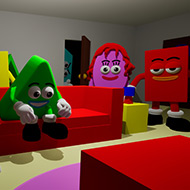
Do that enough times and you’ve got yourself a score — the same basic shape as any game show, except you’re both the contestant and the controller. What keeps it feeling like a show instead of a scoring screen is that literally none of the set dressing is fixed: the host, the judges, even the studio backdrop are all pieces you can shuffle around instead of wallpaper you’re stuck with.
The Content Pack System (Read This First, Seriously)
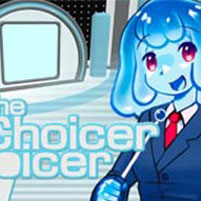
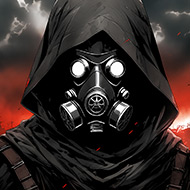
Here’s the twist that catches almost everyone off guard: The Choicer Voicer doesn’t hand you a cast of characters. It hands you an empty studio, a host, a judge panel, and basically nothing to do impressions of. Building a voice pack is as easy as dragging audio files into a folder — which is exactly the point. The developer has been refreshingly honest that the base game ships as a blank canvas, and that filling it in is the whole deal.
Those clip bundles are called voice packs, and they live in the game’s packs_voice folder once you’ve built or downloaded them. Load up a totally different pack and you’ve basically got a different game — a set of niche internet memes plays nothing like a folder full of movie quotes. Same studio, wildly different show.
Beginner tip: resist the urge to build the “ultimate” pack before you’ve even played a round. Grab a handful of clips you already know by heart, run a session, and let the judging teach you what it actually rewards before you sink hours into a bigger library.
Customize Menu and Dub Mode
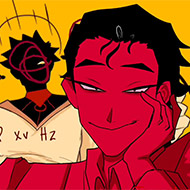
The Customize menu is where the game really shows its hand: swap the menu’s whole look, redress the studio, reskin the judge panel, even change up the host. This isn’t a coat of paint bolted on afterward — it’s core to why no two people’s setups feel the same.
Then there’s Dub Mode, added in version 0.5 and later polished into “Freestyle Dub Mode.” Forget short scored one-liners — this lets a group record a full voiceover pass over an actual video scene using dub packs. One quirk worth knowing before you dive in: dub packs store their video in the OGV format, so if you’re planning to move a clip anywhere else, convert it to MP4 first. And temper your expectations on export — because of how the engine handles video, the game can’t currently spit out a finished, shareable video file. It replays your performance by reconstructing it from the pack’s timing data every time, rather than handing you a standalone clip.
Mods and Community Tools
“Modding” here means something a little different, since voice packs and dub packs already give players an official, sanctioned way to reshape everything about a session. Beyond that, the game does have a foothold on Thunderstore and a listing on Nexus Mods — though right now those pages are more “watch this space” than bustling hubs. The Thunderstore community, in particular, is essentially waiting on its first real upload, which says more about how young the project is than any lack of enthusiasm.
The real action is happening inside the packs themselves. One player on the itch.io comments casually mentioned they’d already built a full custom menu around the adult-swim show Smiling Friends and were partway through a Family Guy-themed pack next — the kind of fan energy that makes a niche game feel alive. And if you want to take that energy online, there’s Voxalike, a standalone fan-built multiplayer dubbing app built specifically around the Dub Pack format. It lets a group hop into a shared room and perform packs together remotely, comes with its own Workshop for browsing community uploads, and — unlike the base game — can actually export a finished dub as a shareable video.
Game Modes and Session Structure
| Mode | What it is |
| Solo practice rounds | Most of what’s here right now is built for one player at a time, which makes solo rounds your best bet for learning a new pack, sanity-checking your mic, and getting a read on what the panel likes before an audience is watching. |
| Local group sessions | Up to four players can crowd into one studio and take turns in the spotlight. Sort out mic assignments before round one — otherwise you’ll get one player’s performance bleeding into someone else’s turn, and the scoring gets messy fast. |
| Streamer-focused sessions | Built with Twitch in mind, these modes can read commands straight out of chat, and a dedicated pack type lets viewers actually perform as part of the show instead of just spamming votes. |
| Dub Mode sessions | Trade the quick scored line for a full voiceover pass over video — a whole different, slower kind of performance. |
One honest expectation-setter: there’s no official online lobby yet. The developer has confirmed prototypes exist behind the scenes but is holding off, citing worries about moderation, abuse, and the microphone lag that routing audio through voice chat tends to introduce. So for now, local and streamed sessions are the polished path, and if you’re chasing remote play specifically for Dub Packs, Voxalike is your realistic workaround.
Common Terms You’ll See in the Community
Voice packa folder of audio clips that becomes the game’s actual content, dropped into packs_voice.
Dub packDub Mode’s answer to the voice pack, built around video instead of short audio snippets.
Host packa fan-requested idea that isn’t fully supported yet: a way to customize the host character the same way you customize content.
Studiothe stage where it all happens: host, judges, performer.
The panelthe judges, whose scoring logic is famously opaque and one of the most argued-about parts of the whole game.
A clean takecommunity shorthand for nailing pitch, timing, and delivery on the first try.
Facts and Highlights Worth Knowing
- The game runs on the Godot Engine, and the developer has been brutally candid about regretting that choice for something this audio-heavy — publicly joking that the big lesson learned was “never build an audio-based game in Godot again,” despite genuinely loving open-source tools.
- The infamous microphone bug got serious enough attention that the developer publicly thanked two community members by name — a tester called Studio Jimbly and a GitHub contributor called Buzzlord — for helping cobble together an unofficial 0.5.2 test build aimed squarely at fixing it.
- Back in mid-2024, the game quietly crossed 100 copies sold on itch.io, a milestone small enough that the developer turned it into its own cheeky devlog post rather than a press release.
- By August 2026, the developer was openly stunned by a sudden wave of new players — and the flood of repeat questions that came with them was big enough to earn its own dedicated devlog just to answer the same handful of questions once and for all.
- There’s a scrappy unofficial fan Discord running several thousand members deep, functioning as the real-time hub for pack-sharing and troubleshooting when the itch.io comment section isn’t enough.
- Updates have rolled out in steady, unglamorous waves rather than big relaunches — roughly every few months since mid-2024, culminating in Dub Mode’s arrival in 0.5, a cleanup pass in 0.5.1, and that unofficial mic-bug test build most recently.
Tips That Actually Help
| Tip | Why it matters |
| Chase rhythm before tone | New players obsess over nailing the voice and forget the timing entirely — the panel tends to reward matching a clip’s pacing almost as much as its sound. |
| Mic-check every session | The recording bug is common enough that a thirty-second test can save you from discovering mid-round that nothing actually got captured. |
| Recording fine but no playback? | That’s a distinct, separately reported issue — several players have hit it specifically. Check your playback device settings before you assume the whole install is broken. |
| Start small with your first voice pack | Five to ten clips you already know cold will teach you more about the judging than a sprawling library of unfamiliar audio ever will. |
| Hosting four players? | Lock in turn order and mic assignments before round one. Sounds obvious until someone’s line gets scooped up by the wrong mic mid-performance. |
| Convert dub pack video to MP4 | Before feeding it into Voxalike or similar tools — the native OGV format won’t play nice everywhere outside the game itself. |
What Players Are Saying and Debating
No sugarcoating here: this game splits opinion, and the fault lines are pretty consistent. The scoring is the big one — since the judging logic is never fully explained, dedicated players end up reverse-engineering what actually earns points (clarity, timing, matching pitch) through trial and error. Some people love that mystery; others get genuinely frustrated when a take they were proud of tanks anyway.
Then there’s the microphone saga. Some players get total silence on recording. Others get recording that works fine but playback that mysteriously doesn’t. It’s a real, well-documented headache — but credit where it’s due, the developer hasn’t tried to bury it. It’s called out directly on the store page, which at least points frustrated players toward a fix instead of leaving them to assume they’re doing something wrong.
On the flip side, the recurring bright spot in player comments is how fast this stops feeling like “a game” and starts feeling like a personal project. People show up talking about the specific packs they’re building around shows and internet bits they already love, and the wishlist gets genuinely funny — one player half-jokingly pitched replacing the host entirely with an anatomical illustration of vocal cords. That’s the kind of chaos-energy suggestion you only get from a community that’s actually invested.
Frequently Asked Questions
Do I have to pay again for updates after I buy the game?
Nope — buy it once and future updates are free, the same as most itch.io releases. You won’t need to repurchase anything when a version like 0.5.1 rolls out.
Why does the game keep dropping or refusing to record my microphone?
This is a known, long-running headache tied to how Godot handles audio under the hood, and the developer has been upfront that it’s a serious limitation rather than a quick fix. It’s serious enough to warrant a bold warning on the store page, and community-driven test builds — including an unofficial 0.5.2 build — have gone straight after this specific problem.
Can I actually play this online with friends who aren’t in the room?
Not officially, not yet. The developer has confirmed prototypes exist internally but is holding off over moderation, abuse, and microphone-lag concerns tied to routing audio through voice chat. If Dub Packs are your priority, the fan-made tool Voxalike currently fills that gap by letting groups perform together in a shared online room.
Who Tends to Fall in Love With This Game
- Streamers and content creators get the most out of it — chat-command modes and audience packs turn a passive audience into a room full of contestants.
- Impressionists and mimicry nerds finally get a scoreboard for something they were already doing at every party anyway.
- Groups craving a low-prep hangout game find a real payoff in solo and local modes once a pack exists — even if getting there takes more setup than a plug-and-play trivia game.
Getting Set Up
Since this whole experience runs on your microphone, a few extra checks pay off before you dive in:
- Confirm your system can actually reach the mic you want to use, and know that surround-sound audio setups have been specifically linked to some of the reported recording glitches.
- Run a quick throwaway line before any round that actually counts — given how common the mic bug is, this one habit will save you the most grief.
- Getting silence on playback but recording seems to register? Check your selected playback device before you leap straight to reinstalling.
Guides for The Choicer Voicer
We broke down the details into standalone guides — if anything in this article left you with questions, check these out.
Hosting Sessions How to set up a local game for 2-4 players: mic assignments, turn order, and what to watch for so performances don’t get scooped up by the wrong mic mid-round. Working With Packs A step-by-step walkthrough for building a voice pack or dub pack from scratch — folder structure, file formats, and why starting small with clips you already know beats a sprawling library. Game Modes A breakdown of every mode — from solo practice to streamer sessions with chat commands — and which one fits whether you’re playing alone, with friends, or in front of an audience.